Computer can’t connect to Printer using Wi-Fi
If you find that you are not able to suddenly print using Wi-Fi, please make sure that both your compter and printer are connected to the same Wi-Fi network.
Many printers cannot connect using the 5GHz band, so your computer and printer must be connected to the 2.4GHz band of your Wi-Fi network.
Normally you’ll see the name of your Wi-Fi with the number designation 2.4 or 5 at the end to donate the two different bands.
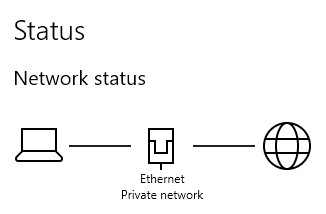
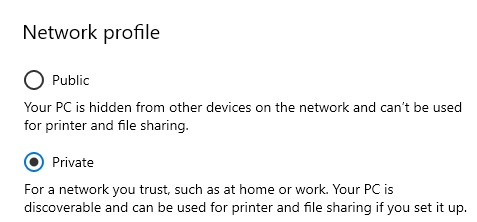
There is also the situation where your computer marks the Wi-Fi network as “Public”. This will cause printing issues so make sure that if you are connected to your home 2.4GHz Wi-Fi network, that it is marked as “Private” in the Network designation. This setting will cause problems with printing for both Ethernet and Wi-Fi connections.
Check your Network and Internet settings menu. If it shows as “Public” then you can left click the “Properties” button and you will be taken to the page to change the Network profile setting to “Private”.
If you still get problems and your printer has an Ethernet port, then I suggest that you use that to connect the printer to the router. You can still use your computer connected using Wi-Fi.
If none of this works, then you’ll need to set the Printer with a “Static IP” address and configure the Printer port in the Network profile settings.