Microsoft Outlook 365 “is not responding”
We recently attended a call-out, where the customer was complaining that their Microsoft Outlook 365 was unresponsive and showing “not responding” at the top left corner.
When you open Outlook, one of the things that it does, is to synchronise any calendars that you have subscribed to in the Cloud. These Calendars are called “Internet Calendars”.
We discovered that one of the Google Calendars that the customer had subscribed to was corrupt. This caused Outlook to stall and become unresponsive.
You can check the calenders that you are subscribed to by going to www.google.com and clicking “Calendars” from the square dotted menu button on the top right corner.
On the left hand side at the bottom, you can see the subscribed Calendars and untick any that you don’t want to continue to receive.
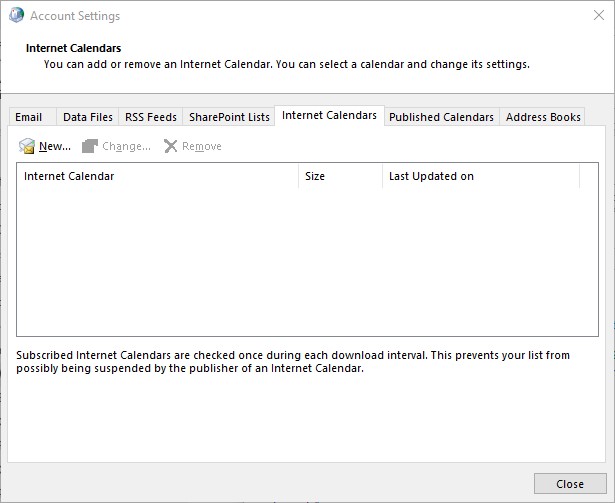
If you want to delete the Internet Calendar entries already in your Outlook Calendar, first you must CLOSE OUTLOOK. You can delete the line item from the Internet Calendar tab as shown in the screenshot below.
After we unticked the Calendar that was causing the problem, Outlook started operating normally again.